Tonal Values Online
Turn a reference photo into a simplified study of light, midtones, and shadow before you paint.
Made for painters and drawing students. Compare four tonal views with the original, then download or print the study and block in the big shapes. Your photo stays in your browser.
Part of Virtual Artist Lab — explore all our creative tools →
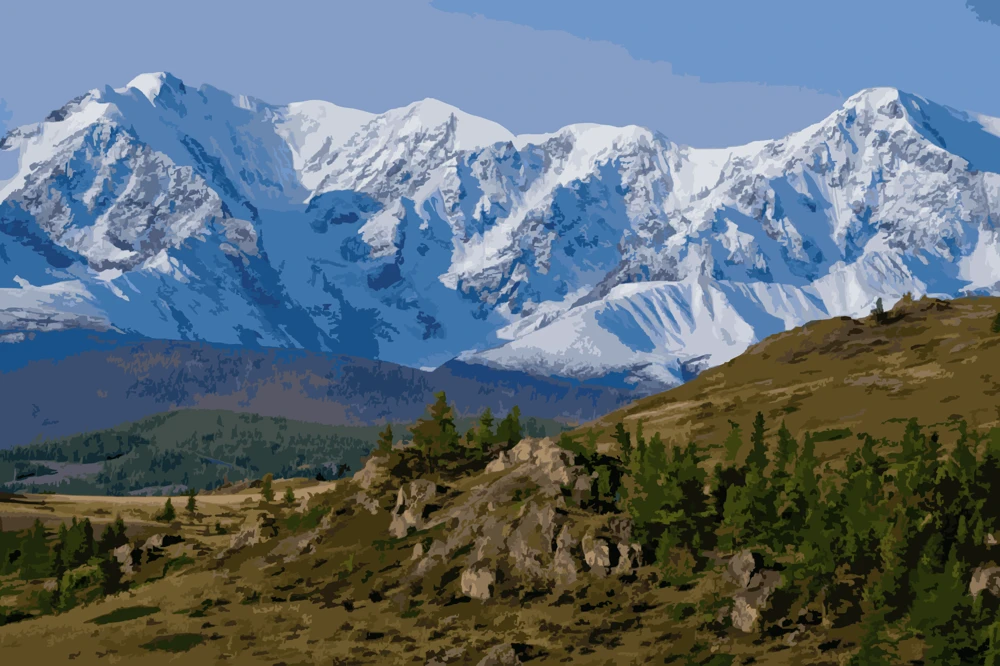 Original
Tonal study
Original
Tonal study
Example using the Shadow view. It is not a photo you uploaded.
Find the values in your photo
Upload a JPG, PNG, or WebP image up to 20 MB. Shadow opens first and groups the photo into four values.

Drop a photo here or choose one from your device
JPG, PNG, or WebP · up to 20 MBShadow uses four groups: light, light middle, dark middle, and deep shadow. Block in from this view.
Choose the view that answers your question
Every view starts from the same photo. Light, Midtone, and Shadow group similar brightness into flat shapes. Color Map keeps the brightness changes and shows them as color.
Light
The brightest areas stay white and the rest of the photo becomes one light gray. Use this when you need the highlight pattern, not the full design.
Midtone
You get three groups: light, middle, and dark. If the design does not read in these three shapes, adding detail will not fix it.
Shadow
This is the view that opens with your photo. It keeps the light and middle groups and splits the darks into a dark middle and a deep shadow.
Color Map
Brightness is drawn on a fixed color ramp, from dark colors to white. Use it when two grays look the same. Do not mix these colors as paint.
From photo to tonal study
Choose your photo
Upload a JPG, PNG, or WebP image of up to 20 MB.
Choose a tonal view
Shadow is selected first. Switch to Light for highlights, Midtone for three big shapes, or Color Map when grays are hard to separate.
Save your reference
The PNG matches the view on screen. Print it or keep it beside you and block in those shapes before you choose color.
How to use the tonal study
The study shows where shapes are light or dark. It does not tell you which pigment to mix.
Block in the largest shapes
Start with Shadow or Midtone. Paint or draw the biggest light, middle, and dark shapes first. Leave texture and tiny highlights until those groups are in place.
Match the group, not the pixel
White in the study is your light. The middle grays are your middle values. The darkest group is the shadow shape. A gray shape still has a color in the original photo; the study only tells you how light or dark that color should be.
Know what the study will not do
It will not turn the photo into a coloring page or a numbered canvas. A flat, overexposed, or low-contrast photo stays flat, because there are fewer separate value groups to find. Photos longer than 2,400 pixels on the longest side are reduced, and the download matches that study.