Mimi Panda MCP Server for AI Assistants
Connect Claude and other MCP-compatible AI assistants directly to the Mimi Panda API. Let your AI create coloring pages, paint by numbers, AI images, filters, and upscaled artwork — all from within a single conversation.
What You Can Build with the MCP Server
Chat-first image tools for Claude and ChatGPT
Let Claude, ChatGPT, and other MCP-compatible AI assistants call Mimi Panda directly from a conversation. The MCP server exposes Mimi Panda as structured tools, so your assistant can:
- List available Mimi Panda API routes and capabilities
- Create coloring pages, paint by numbers, and AI images
- Apply AI filters or upscale existing images
- Fetch task results and explain them in natural language
Automated image workflows
Use the MCP server to orchestrate multi-step Mimi Panda workflows without writing glue code in your app. From a single chat, your assistant can:
- Call coloring, PBN, AI image, filter, and upscale endpoints through one tool
- Poll and retrieve results for long-running image tasks
- Combine multiple services in a single conversation flow
- Attach custom headers, tokens, and query parameters per request
Developer-friendly integration
The server is a lightweight Node.js project that follows the official Model Context Protocol SDK. It is designed to be simple to run, configure, and extend:
- Requires only Node.js 18+ and access to the Mimi Panda API
- Configured via environment variables (.env) for base URL, prefix, token, headers, and timeout
- Communicates with MCP clients over STDIO, no extra infrastructure needed
- Open-source MIT license, so you can self-host and customize
Available Tools & API Endpoints
-

 Coloring Pages — POST /api/service/coloringTurn photos and artwork into high-quality coloring pages. From your MCP client you can pass image URLs or payloads, tweak settings, and let Mimi Panda return print-ready line art.
 -
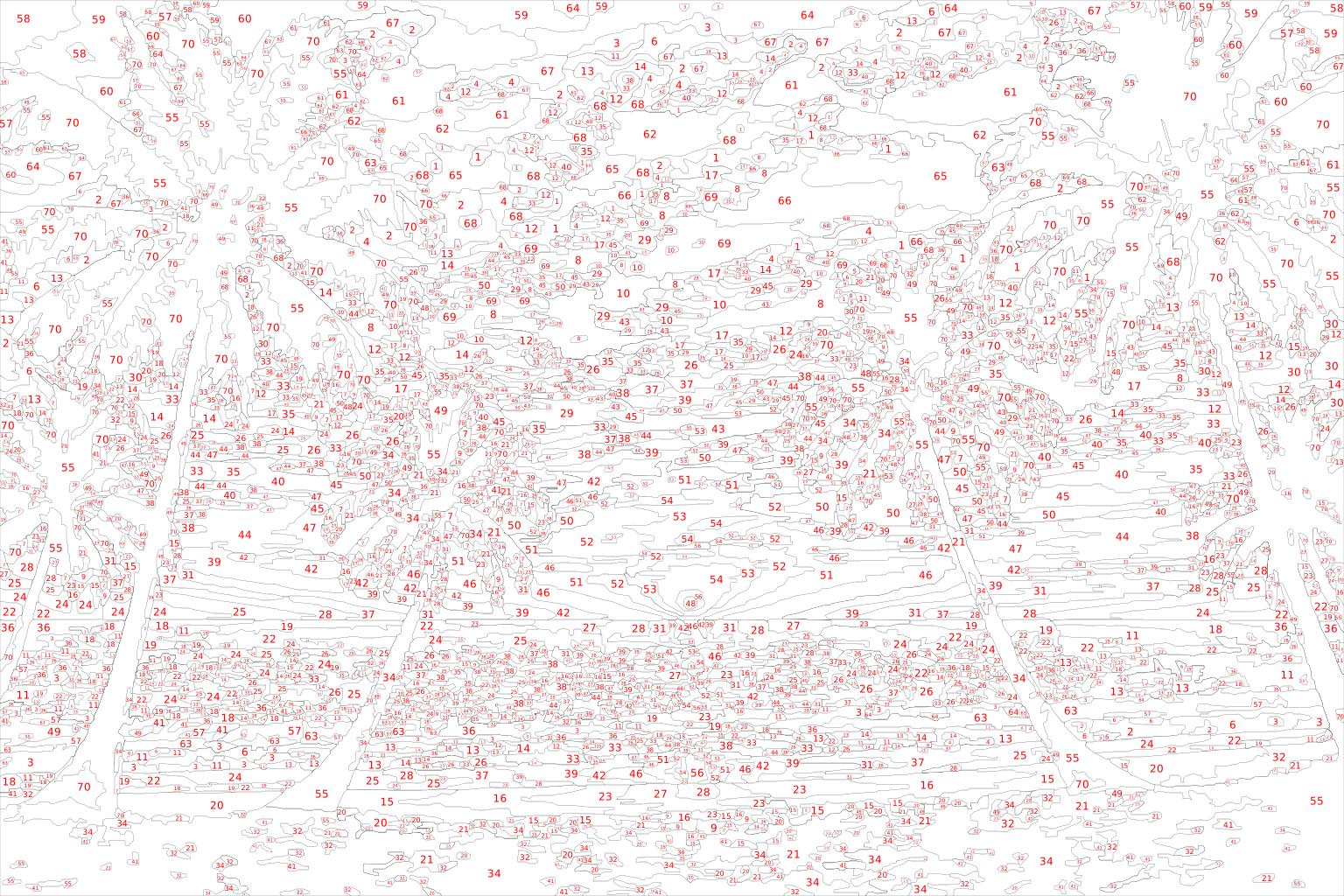
 Paint by Numbers — POST /api/service/pbnGenerate paint-by-numbers templates from images. Control palettes and detail levels via the API, while your AI assistant explains the settings and results to the user.
 -
 AI Coloring from Prompt — POST /api/service/ai/coloringCreate brand‑new coloring pages directly from text prompts. Ideal for creative workflows where your AI assistant designs and generates content on the fly.
 -
 AI Image Generation — POST /api/service/ai/imageUse Mimi Panda as a general AI image generator behind your MCP client. Provide prompts in chat, then let the server call the API and return ready‑to‑use images.
 -
 AI Filters — POST /api/service/image/filterApply artistic filters and transformations to existing images. Filter types and options are described in structured metadata so MCP clients can present them clearly.
 -
 Image Upscaling — POST /api/service/image/upscaleEnhance and upscale images (2x or 4x) to improve quality for print or digital use. Trigger upscaling from your AI chat and receive high‑resolution outputs via the MCP server.
 -
 Task Results — GET /api/service/item/{uuid}Poll and retrieve results for long‑running Mimi Panda tasks by UUID. Your MCP client can wait, check status, and then present download links or previews to the user.
 -
 Authentication & User Profile — /api/auth/login, /api/user/me, /api/user/logoutAuthenticate against Mimi Panda, manage tokens, and read profile data. The MCP server lets you reuse a single API token or pass one per request for flexible authentication.
Key Advantages for MCP Clients
-

 Native Model Context Protocol support
 The server is built on the official @modelcontextprotocol/sdk for Node.js, communicating with clients over STDIO. That means a clean, first‑class integration with MCP tools like Claude Desktop, without custom network plumbing.
-
Simple environment-based configuration
Configure everything through environment variables or a .env file: MCP_API_BASE_URL, MCP_API_PREFIX, MCP_API_TOKEN, MCP_API_HEADERS, and MCP_API_TIMEOUT. Point it at your self‑hosted or cloud Mimi Panda instance with just a few values.
-
Safe, flexible authentication
The server automatically handles Bearer tokens and lets you define a default token via MCP_API_TOKEN or override it per request. Tokens are never hard-coded into prompts, keeping your credentials decoupled from AI conversations.
-
Rich route discovery & schemas
Use the list_api_routes tool to inspect every available Mimi Panda endpoint, including types, descriptions, enums, and field summaries. MCP clients can surface this metadata so you always know which parameters are accepted before making a call.
What Your MCP Tools Can Generate
Example: /api/service/coloring → Coloring Page output


Example: /api/service/pbn → Paint by Numbers output

Use-Cases & Playbooks
-
AI assistants & chat clients
Connect Claude Desktop, ChatGPT Desktop, and other MCP-compatible clients directly to Mimi Panda. Let users ask for coloring pages, paint-by-numbers, AI images, filters, or upscales in natural language while the MCP server handles all API calls behind the scenes.
Perfect for:
- Personal creative assistants powered by Claude or ChatGPT
- Support or onboarding bots that generate visual examples
- AI copilots for designers, illustrators, and educators
- AI assistants for marketing and sales teams
-
Automation & internal tools
Use the MCP server as a bridge between your internal processes and the Mimi Panda API. Your AI assistant can generate images on demand, check task status, and route download links into the systems your team already uses.
Perfect for:
- Internal dashboards that call Mimi Panda via an MCP-aware agent
- Automated content pipelines that need on-the-fly image generation
- Back-office tools that simplify bulk image processing
-
Developer tools & SaaS platforms
Integrate Mimi Panda capabilities into your own products without re-implementing API logic. The MCP server exposes generic list_api_routes and call_api tools that can be reused across different clients and environments.
Perfect for:
- MCP-enabled IDEs and developer tools
- SaaS products that want on-demand coloring pages or AI images
- Low-code / no-code platforms that integrate with MCP servers
-
Teams, studios & content pipelines
Standardize how your team talks to Mimi Panda by running a shared MCP server. Everyone uses the same API base URL, prefix, headers, and timeout configuration, while still being free to use their own AI clients.
Perfect for:
- Creative studios producing large volumes of content
- Multi-person teams coordinating around a single Mimi Panda account
- Organizations experimenting with AI-driven image pipelines
FAQ for Mimi Panda MCP Server
Here you’ll find answers to common questions about the Mimi Panda MCP server: what it is, how to install it, how to connect it to Claude Desktop, and how it talks to the Mimi Panda API. Use this as a quick reference while you set everything up.
Still have questions? Open an issue on GitHub