Color Palette Generator Online for Artists & Designers
Generate a unique color palette for your painting with our color palette generator online. Start from a seed HEX, pick a harmony rule, adjust the number of colors, check contrast, download your palette, mix colors together, and more. Made for artists, illustrators, and hobbyists who need fast, printable palettes.

 Free & Premium Features
- Free Sign Up
- No Credit Card Required
What Is a Color Palette Generator Online?
A Color Palette Generator Online is a digital tool that helps artists, designers, and creatives build harmonious sets of colors based on color theory rules. Instead of guessing which colors work well together, the generator automatically creates balanced palettes that can be used for design, illustration, painting, and digital art projects.
Our color palette generator focuses on selection and harmony. It suggests colors that visually complement each other, making it easier to create aesthetically pleasing compositions without advanced color theory knowledge.
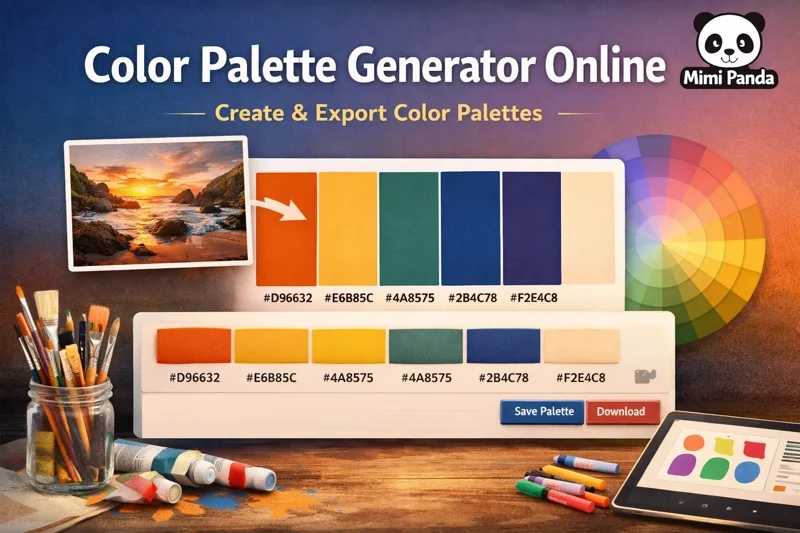
With our palette generator you can:
- Set a seed HEX and choose a harmony (analogous, complementary, triadic, tetradic, monochromatic) to generate 3–70 colors.
- Upload an inspiration image if needed, then refine with harmony to keep the palette paint-friendly.
- Use sliders: Color Boost, Tone Shift, Hue Shift, Temperature, and Merge Similar to clean near-duplicates.
- Preview balance on the hue circle to keep warm/cool movement and light/dark contrast in check.
Swatch actions for artists:
- Each swatch shows HEX, RGB, HSL; Info pop-up also shows contrast on light/dark.
- Copy a single swatch, edit it with the color picker, or remove it to tighten the set.
- Add Color button inserts a new random swatch you can refine.
- EyeDropper lets you grab any on-screen color (browser support required).
- Save the palette to keep it and unlock downloads like Procreate swatches or print sheets.
How This Color Palette Generator Works
The Mimi Panda Color Palette Generator allows you to create palettes in just a few steps. You can start with a single color, then choose a color harmony rule that fits your project.
You can pick a harmony, set how many colors you need in our online color palette tool, then fine-tune with Hue Shift, Tone Shift, Temperature, and Color Boost. Keep light/dark balance and warm/cool movement under control with an artist-first complementary, analogous, triadic, tetradic, or monochromatic palette generator.
Learn about harmony rules
Color harmony generator is a tool that helps you create harmonious color palettes based on the color theory.
- Complementary palette generator: bold contrasts for focal points.
- Analogous palette generator: smooth gradients for skies and fabrics.
- Triadic color palette generator: three anchors for midtones, accents, and light.
- Tetradic color scheme generator: two pairs for complex scenes.
- Monochromatic palette generator: one hue, many values for studies.
How to use the color palette generator
This workflow makes the tool ideal for both beginners and professionals who want reliable color results quickly.
- Set a seed HEX close to your main pigment.
- Select harmony and choose 3–70 colors.
- Fine-tune Hue Shift, Tone Shift, Temperature, and Color Boost.
- Merge similar colors using the appropriate slider to remove duplicates.
- Sign up & save your palette before you start painting.
Why Color Harmony Matters in Design and Art
Color harmony plays a critical role in how people perceive visuals. Well-balanced palettes feel natural and professional, while poorly chosen colors can distract or confuse the viewer. By using a color palette generator online, you ensure that your colors follow proven harmony principles. This saves time, reduces trial and error, and helps maintain consistency across different projects.
Start Creating with a Color Palette Generator Online
Whether you are designing graphics, planning illustrations, or preparing color sets for structured artwork, a reliable color palette generator online helps you work faster and with more confidence. Use the tool above to generate harmonious color palettes instantly and export them in the format you need.
Contrast for canvas and print
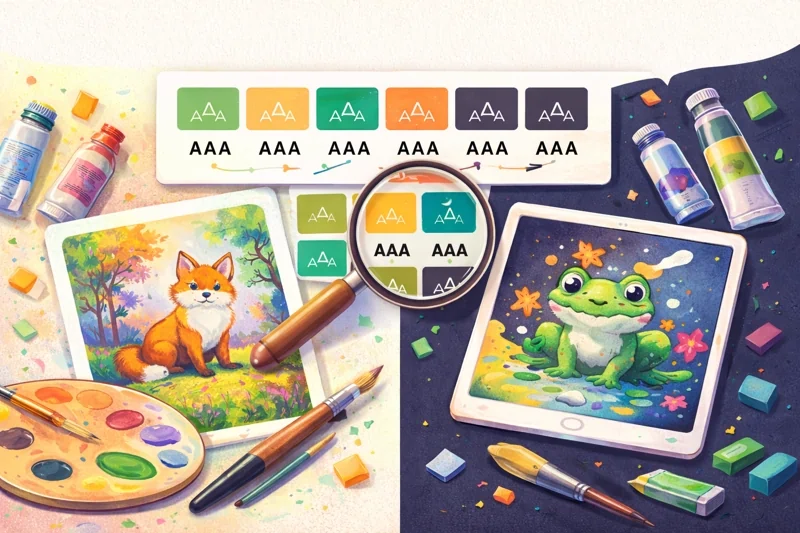
How contrast helps your palette
- See contrast ratios per color on light and dark (AA / AAA contrast for text).
- Pick strong pairs for texturing, line art, and lettering.
- Keep accessibility-friendly palettes for kids’ books and prints.
Open any swatch info to view its contrast details before you lock your palette.
Tips for setting light and dark values
- Reserve your darkest tone for outlines and deepest shadows.
- Keep one clean highlight for wet glazes or digital shine.
- Test accents against both light and dark to avoid muddy midtones.
Export palette
Available export formats
- PNG and SVG swatch sheets for quick printouts.
- Procreate swatches colors generator for digital painting.
- PDF palette cards for sketchbooks and plein air kits.
- CSV for note-taking or mixing logs.
- CSS variables from palette for seamless studio workflow.
- Tailwind palette generator snippet and design tokens color palette JSON.
For studio workflow
- Print PDF cards and tape them next to your canvas.
- Use CSV for note-taking or mixing logs.
- Keep SVG/PNG handy to share palettes with collaborators or students for reference.
Ready-made palettes templates
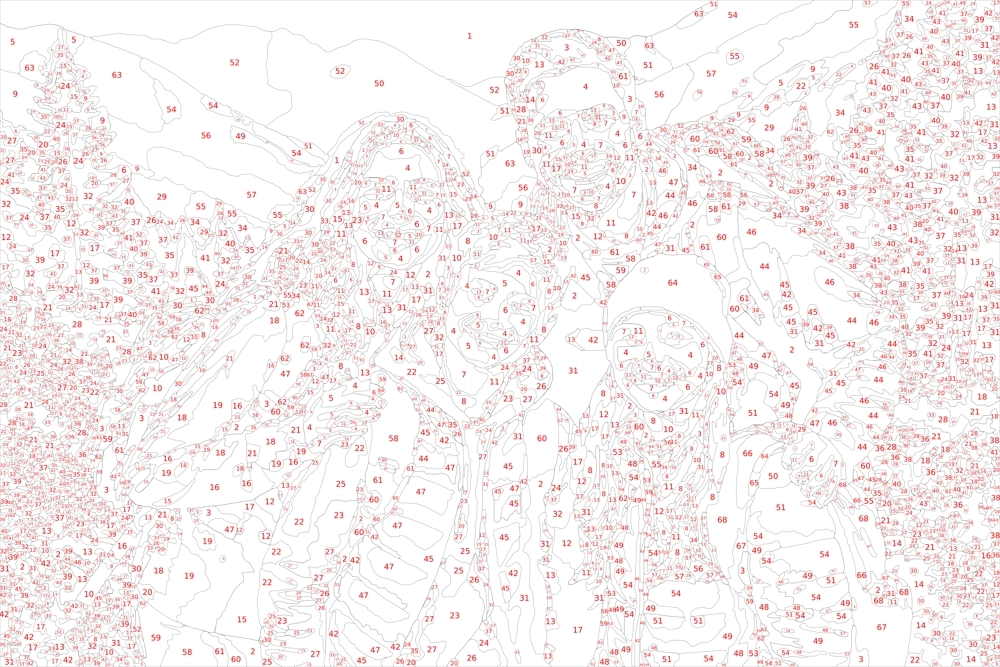
Use your palette in Paint by Numbers and Procreate

What you can do
- Export a Procreate swatch from your palette.
- Use the same palette in the Paint by Numbers converter.
Note: Available on Premium plans.
Paint by Numbers converter
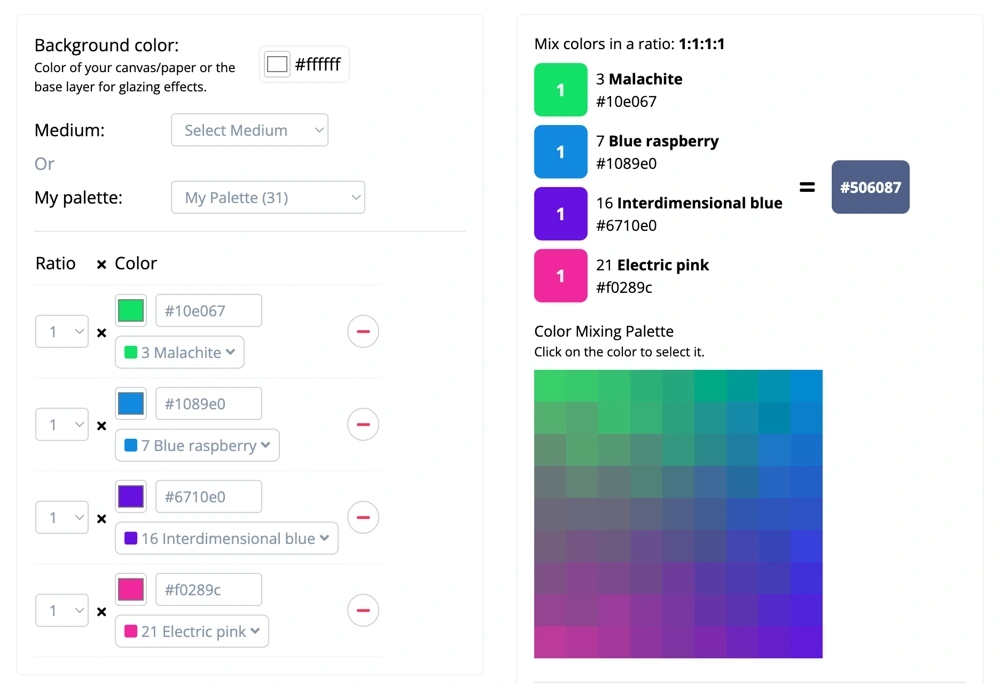
Open converterUse your palette in advanced tools
What you can do
After you save your palette, you can use it in our app for advanced color workflows.
- Pick a saved palette inside the app.
- Explore new color variations based on your saved palette.
Note: Available on Premium plans.
Find primary and secondary color references
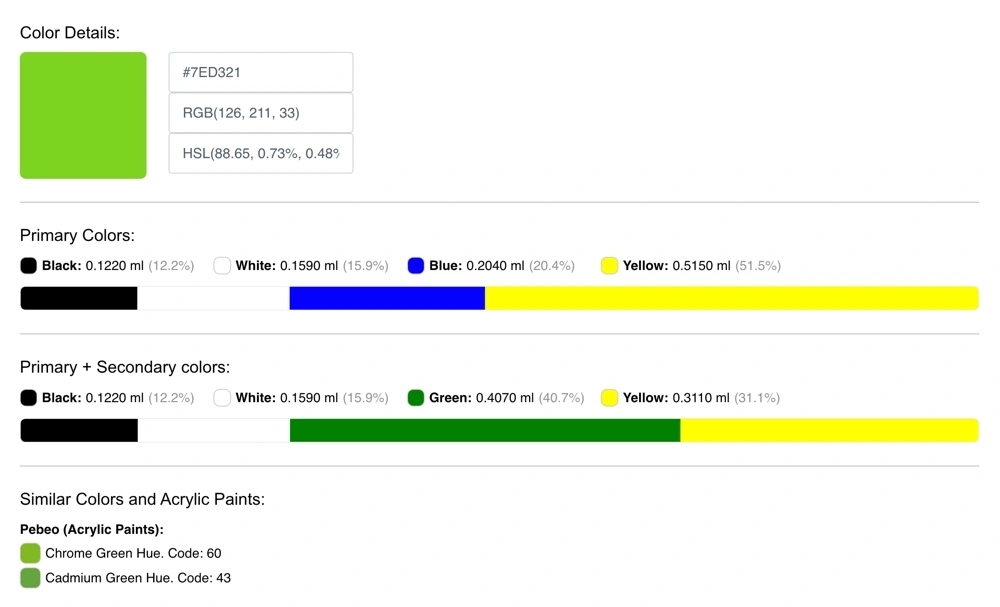
What you can do
- Check primary and secondary references for a selected swatch.
- Compare similar colors from popular paint brands.
Available inside the app.
FAQ for the Mimi Panda Color Palette Generator
Quick answers about generating palettes online, choosing harmonies, saving palettes, and exporting swatches.
Still have questions?
Contact Mimi Panda support