Knowledge Base
- Getting started
- Install App
- Sign Up process
- Sign In process
- Authentication overview
- Languages and localization
- Credits system
- Subscriptions overview
- Subscribe to a plan
- How to cancel subscription
- Creation tools
- How to create coloring page
- How to create AI coloring page
- How to create paint by numbers
- How to create name coloring pages
- How to use the AI Image Generator
- How to use AI Filters
- How to remove a photo background
- How to upscale and enhance images
- Virtual Artist Lab
- My Palettes
- Unmix Colors
- Color Mixing
- Color Mixing Chart
- Color Picker
- Color Simplifier
- Generate Palette
- Brand Palettes
- Grid
How to create AI coloring page by your prompt
AI coloring pages are created from a text prompt instead of a photo. Describe what you want, choose a detail style, generate, then download or print.
You need to be signed in to generate AI coloring pages. If you do not have an account yet, start with the sign-up guide.
Open AI Coloring pages: AI Coloring pages and fill in the prompt form.
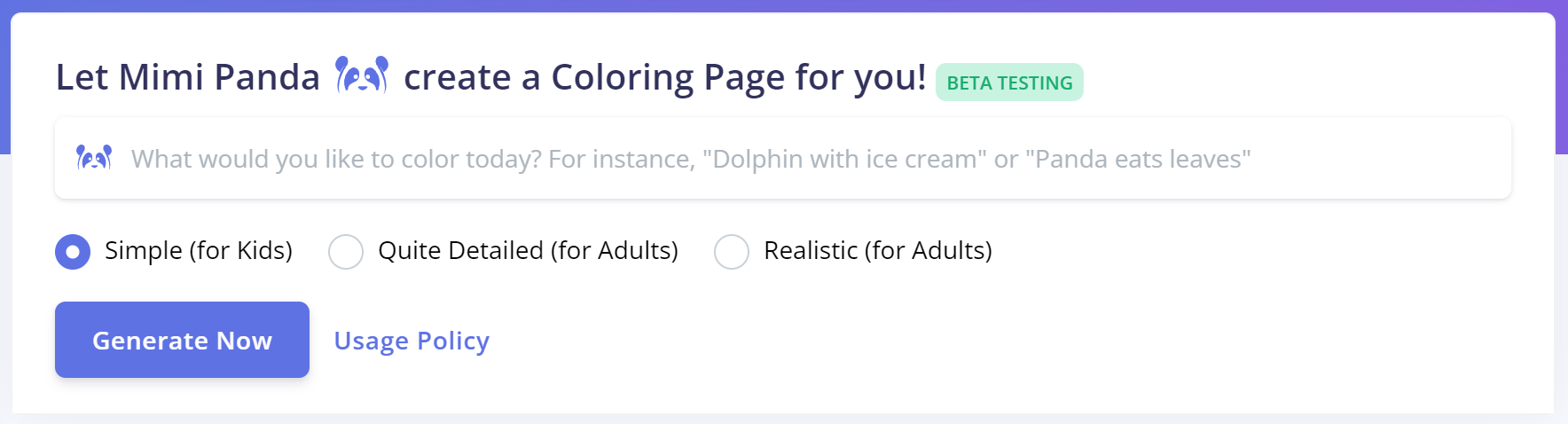
How to generate
- Write a clear prompt with the subject, style, and important details.
- Choose the desired style of detail.
- Click Generate Now and wait while the page is created.
- When finished, the list updates and your new pages appear at the top.
Generation usually takes a few minutes. If many requests are waiting, it can take longer.
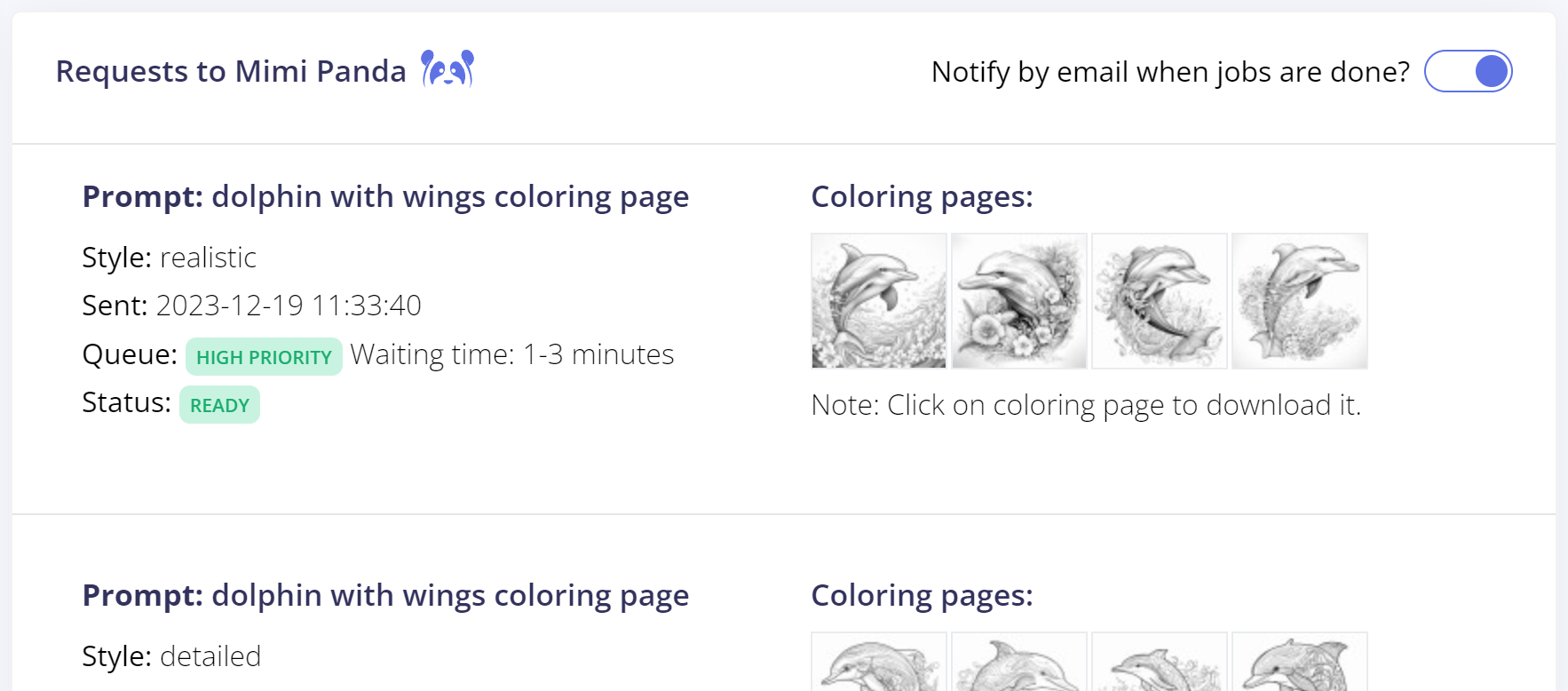
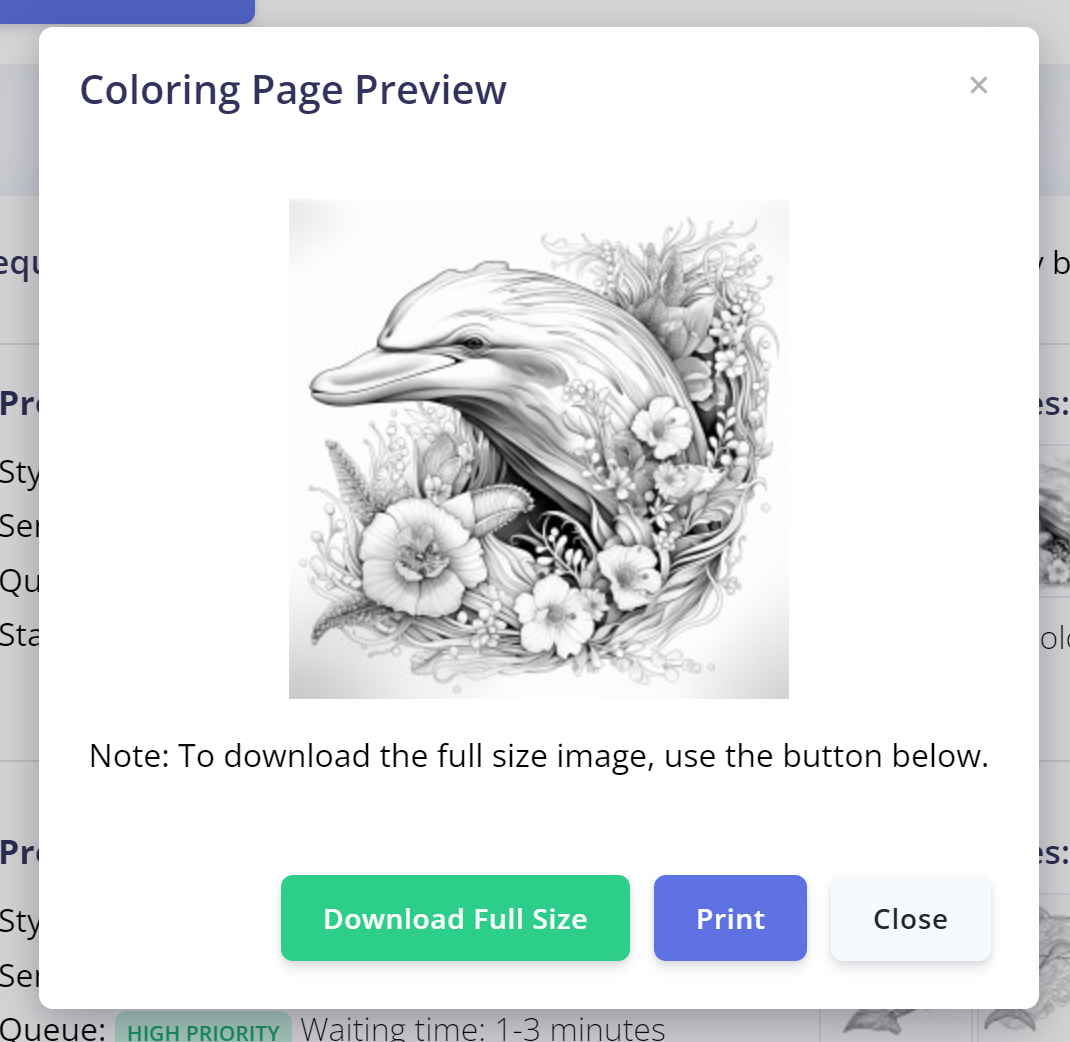
To download or print, open a preview and use the Download or Print actions.
Tip: Specific prompts work better than short ones. Mention age group, complexity, and what should or should not appear in the scene.
Related: Credits system · Photo to coloring page.
