Knowledge Base
- Getting started
- Install App
- Sign Up process
- Sign In process
- Authentication overview
- Languages and localization
- Credits system
- Subscriptions overview
- Subscribe to a plan
- How to cancel subscription
- Creation tools
- How to create coloring page
- How to create AI coloring page
- How to create paint by numbers
- How to create name coloring pages
- How to use the AI Image Generator
- How to use AI Filters
- How to remove a photo background
- How to upscale and enhance images
- Virtual Artist Lab
- My Palettes
- Unmix Colors
- Color Mixing
- Color Mixing Chart
- Color Picker
- Color Simplifier
- Generate Palette
- Brand Palettes
- Grid
How to Subscribe to a premium plan
Mimi Panda offers paid plans such as Basic, Personal, and Commercial. Compare current plan details and pricing here: Pricing page.
To subscribe, you must be signed in. Open your profile page from your account menu, or follow this link: Profile page.
On the profile page, find the subscription block and click "Subscribe to Premium".
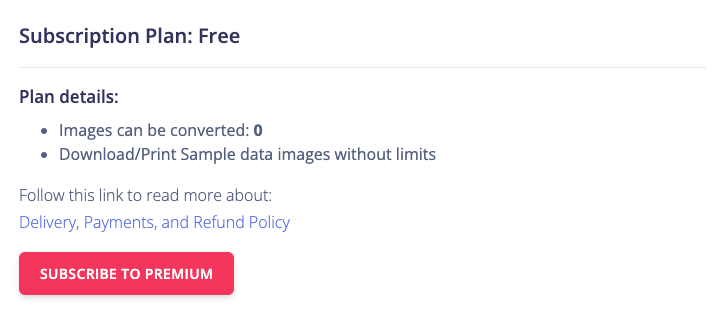
You will be taken to the pricing page where you can choose a plan and billing interval (monthly or annual).
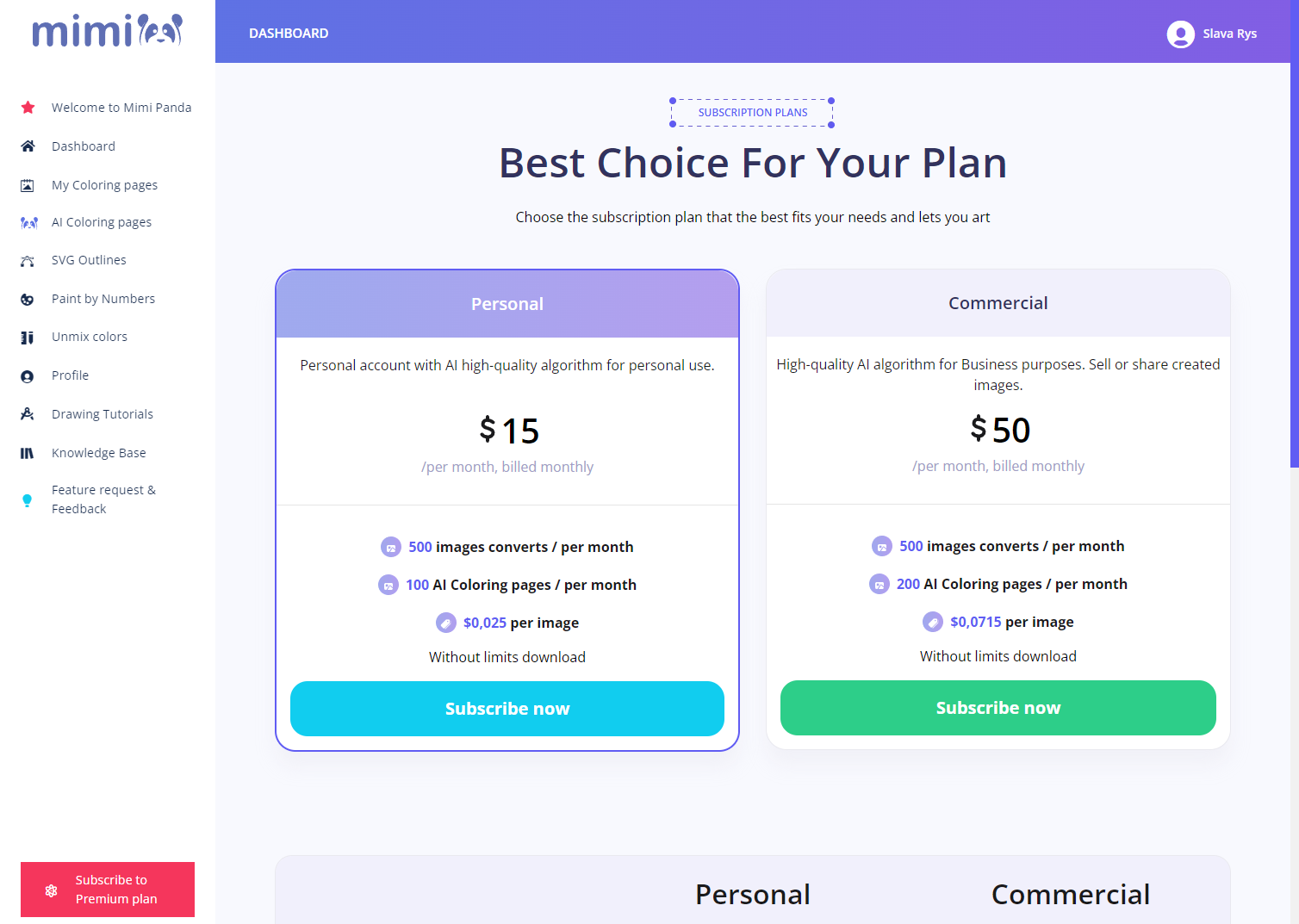
Click "Subscribe Now" under the plan you want and complete checkout with our payment provider, Paddle. After payment succeeds, your plan upgrades and credits are added.
For upgrades, cancellations, extra credits, and what happens after canceling, see Subscriptions overview.
