Knowledge Base
- Getting started
- Install App
- Sign Up process
- Sign In process
- Authentication overview
- Languages and localization
- Credits system
- Subscriptions overview
- Subscribe to a plan
- How to cancel subscription
- Creation tools
- How to create coloring page
- How to create AI coloring page
- How to create paint by numbers
- How to create name coloring pages
- How to use the AI Image Generator
- How to use AI Filters
- How to remove a photo background
- How to upscale and enhance images
- Virtual Artist Lab
- My Palettes
- Unmix Colors
- Color Mixing
- Color Mixing Chart
- Color Picker
- Color Simplifier
- Generate Palette
- Brand Palettes
- Grid
How to register a new account at Mimi Panda Profile
To register a new account follow this link: Sign Up Now or find the "Sign Up" link in the top navigation. You will be taken to the registration page.
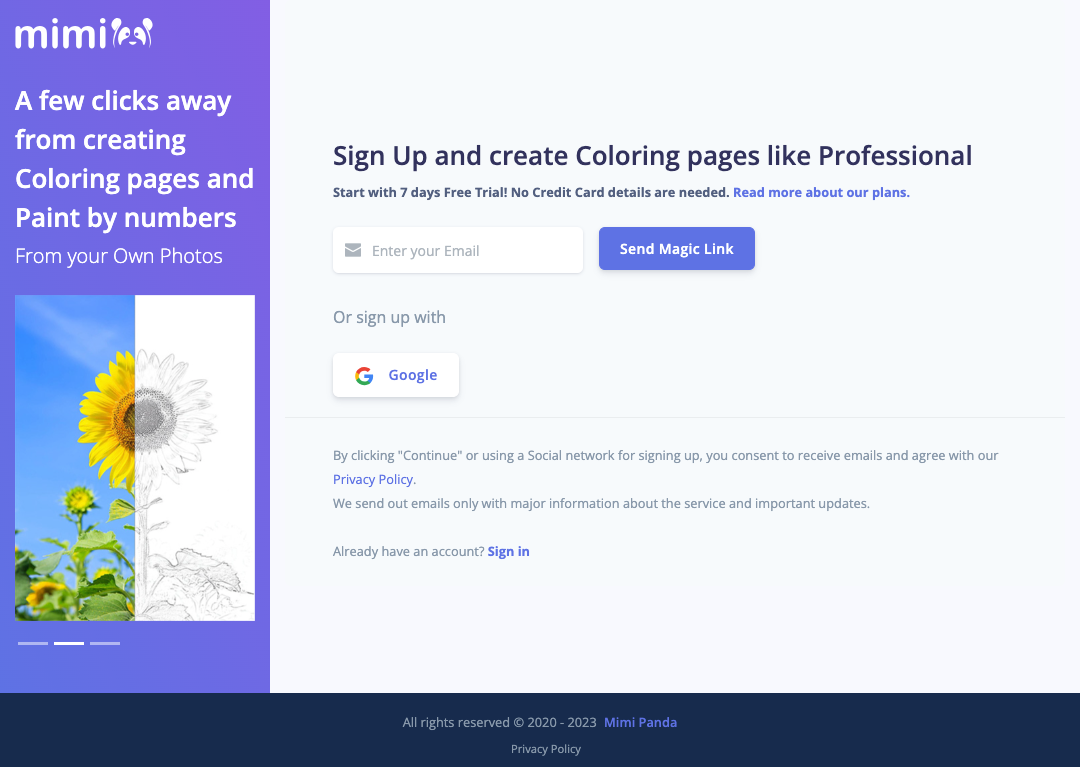
You can create an account in two ways:
- With Google
- With a Magic Link sent to your email
Sign up with Google
Click the Google button on the sign-up form. Choose the Google account you want to use. After you confirm, you are taken to the Mimi Panda welcome experience and signed in.
Google sign-up is convenient because you do not need to create or remember a separate password.
Sign up with Magic Link
A Magic Link lets you register by verifying your email address. Enter your email and click "Send Magic Link". Open the email we send and click the link to finish creating your account.
Magic Link registration creates an account for you automatically. If you later want a password, use the reset password flow from the sign-in page.
Note: The Magic Link is valid for a limited time (about 30 minutes). If you do not see the email, check your spam folder.
For a broader overview of login options, password reset, and email verification, see Authentication overview.
