Knowledge Base
- Getting started
- Install App
- Sign Up process
- Sign In process
- Authentication overview
- Languages and localization
- Credits system
- Subscriptions overview
- Subscribe to a plan
- How to cancel subscription
- Creation tools
- How to create coloring page
- How to create AI coloring page
- How to create paint by numbers
- How to create name coloring pages
- How to use the AI Image Generator
- How to use AI Filters
- How to remove a photo background
- How to upscale and enhance images
- Virtual Artist Lab
- My Palettes
- Unmix Colors
- Color Mixing
- Color Mixing Chart
- Color Picker
- Color Simplifier
- Generate Palette
- Brand Palettes
- Grid
How to cancel subscription
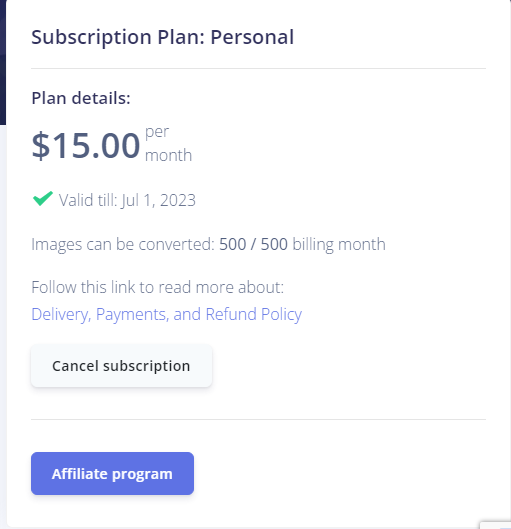
To cancel your subscription, sign in and open your profile page: Profile page.
In the subscription block, click "Cancel Subscription". The page reloads and your subscription status updates.
What happens after you cancel
- You keep access to paid features until the end of the current billing period.
- After the billing period ends, the account returns to free-tier limits.
- Unused subscription credits are not kept after the period ends.
- Extra credits you purchased separately stay available for creation tools.
If you change your mind before the billing period ends, open your profile and use "Resume subscription" to reactivate without going through checkout again.
See the full guide: Subscriptions overview.
